🎉 Welcome to the refreshed Swanson Life A to Z! Pull up a chair and explore our newest recipes, crafts, and everyday inspiration.

Welcome to Swanson Life A to Z

Pull Up a Chair.
You're Home.

Welcome to Swanson Life A to Z, where every recipe, project, and family tradition has a story to tell. Whether you're baking something comforting, creating something beautiful, or simply looking for a little inspiration, there's always room at our table.

WELCOME HOME

Come On In

I'm Toi, and I'm so glad you're here.

Around here you'll find comforting recipes, simple DIY projects, family traditions, and honest moments from everyday life.

Whether you're looking for tonight's dinner, a weekend craft, or just a cozy place to slow down for a few minutes, there's always room at our table.

🍽 Cook Together

Comfort food, family favorites, and recipes you'll actually make again.

🎨 Create Together

Easy DIY projects, seasonal crafts, and creative ideas for everyday life.

💜 Celebrate Together

Holidays, traditions, family moments, and all the little things that make life worth celebrating.

On the Table

Here are a few favorites that readers keep coming back to. Pull up a chair and find something delicious.

Featured recipe
Featured Recipe

Featured Recipe Title

Add a short description that makes readers want to click.

View Recipe →
Recipe
Family Favorite

Recipe Title

Recipe
Fresh From the Kitchen

Recipe Title

Recipe
Worth Saving

Recipe Title

Fresh From the Blog

New recipes, creative projects, and everyday moments from around the table.

Latest post
Recipes

Latest Post Title

A short description of your newest post goes here.

Read More →
Latest post
Crafts

Latest Post Title

A short description of your newest post goes here.

Read More →
Latest post
Lifestyle

Latest Post Title

A short description of your newest post goes here.

Read More →
This Season

What's Happening This Season

Celebrate the little moments with seasonal recipes, family traditions, decorating ideas, and cozy inspiration that fit this time of year.

Explore Seasonal Favorites →
Seasonal feature
Stay Connected

Join the Table

Pull up a chair and never miss a recipe, craft, or family favorite. Subscribe and be the first to know what's new at Swanson Life A to Z.

Let's Stay Friends

Come Hang Out

Whether you're here for recipes, crafts, or everyday life, I'd love to keep in touch. Follow along and join the conversation.

Showing posts with label Crafty Mommy. Show all posts

Cricut Design Inspirations


**This post contains affiliate links and I will be compensated if you make a purchase after clicking through my links. 


Now that you’re more familiar with Cricut Explore One™Cricut Explore Air™ and Cricut Design Space™, it’s time to chat about some of the really neat things you can create when you put it all together. 

As you’re getting familiar with your Cricut machine, it’s a great idea to take advantage of the free Make it Now™ projects and images that you get with Cricut Design Space™. 

For example, check out this adorable 3D Hot Air Balloons Mobile. It’s a fun, easy starter project and makes for the perfect baby shower or toddler’s birthday gift (and can you believe it's made with felt?). And what’s a gift without a card? Cricut has an incredible selection of card examples made with Cricut Explore machines. There’s even a whole selection dedicated to everything baby, which is where I came across this cute baby shower card

Birthday
What better way to tell someone how special they are than with a hand/Cricut-made card and gift? This super fun shaker card is perfect for a 21+ birthday. And even if you purchase a gift, you can always use your Cricut Explore machine to personalize it. For example, if you bought a friend a purse or a wallet, you could use your machine to monogram it with their initials. Or if you bought them a plain shirt or sweater, you could customize it with a fun image or statement. 

I love this sparkly pineapple t-shirt. All you need is a blank shirt, a roll of Cricut Iron-on, and images from the Cricut® Summer Love image set. 

Pool Party
Soak up the summer fun with a pool party! You can use your Cricut Explore to create everything from invitations to decorations. Here are some really creative ideas for how to add some special splash to a pool party

Engagement/Wedding
Make your own beautiful table decorations, banners, party favor boxes, cards, and more for the happy couple in just a few minutes! You’ll find some really impressive ideas in Cricut’s Design Space, such as this lovely Mr. & Mrs. card

There are an unbelievable number of project examples in the Design Space, which are categorized by type (e.g. baby, holidays, home décor, school, food, etc.) and by level (easy, moderate, and advanced). You can also find a ton of great ideas for projects on Cricut's Blog and Pinterest page

The summer season is a perfect time to get your very own Cricut machine and familiarize yourself with Design Space and all the incredible projects you can create. Try out a few projects each month and you’ll be amazed at how easy it is. By the time the holiday season rolls around, you’ll be a Cricut pro and will wow your friends and family with your stunning crafting skills! 

Happy crafting! 

Disclaimer: This post may include affiliate and/or referral links. It may also include items received for review in exchange or my honest unbiased opinion. All reviews and opinions are 100% my own and unbiased.

Cricut Design Space

**This post contains affiliate links and I will be compensated if you make a purchase after clicking through my links. 

If you read last week’s post, you now know why Cricut’s Explore One™ and Explore Air™ machines are so incredible – and a must-have for any crafter. 

But what bridges the gap between the creative ideas in your head and the Cricut machine is the Cricut Design Space™

Cricut’s Design Space™ is software for PC, Mac®, iPhone® and iPad® that you get for free with your Cricut machine of choice. 

Instead of trying to figure out how to make your project, Design Space gives you the ability to focus on what you want to make. Your Cricut machine takes it from there and brings it to life. 

With Design Space, you can start designing from scratch on your computer, iPhone® or iPad®, or you can use a pre-designed, Make It Now™ project. These ready-to-make projects are created by professional artists and include everything from home décor to fashion to paper crafting, and even a variety of FREE projects. 

If you want to use one of Cricut’s 50K+ images, you can try them out in the Design Space to see which will look best in your project before you commit to purchasing it. 

Uploading Images 

When you’re ready to start designing, you can either use one of Cricut’s 50K+ images or easily upload your own using the “Upload Images” tool in Design Space. You can upload and cut .svg, .jpg, .png, .bmp, .gif, and .dxf files absolutely FREE. You can even use fonts already installed on your computer. 

Cut What You Want® tool 

The Design Space’s Cut What You Want® tool makes it easy to convert your design into a cuttable image in just a few clicks! 

The Cricut Design Space™ app for iPad® and iPhone® 

Cricut’s easy-to-use app for the iPad® and iPhone® makes it possible for you can design anytime and anywhere inspiration strikes you.

It also allows you to access all the project’s that you’ve personally designed, whether on your iOs device or your PC or Mac, and gives you access to all the Make-it-Now projects. 

With this app, you can start a project while at the beach, enhance it at the ice-cream shop, add some embellishments while cozying up on your couch, and then cut it on the Cricut Explore in your craft room. Plus, it’s cloud-based, so your projects are always synced across all your devices. 

P.S. Cricut is working on an Android™ app right now, so don’t feel left out if you don’t have an iPad or iPhone. 

In a nutshell, Cricut Design Space™ gives you the creative freedom to design just about anything! Make party invitations, decorations, and favors. Create seasonal home décor or personalize wedding gifts. Add embellishments to your favorite photo memories. 

And that’s just the tip of the iceberg! That’s why next week’s post (the last on in this series) will focus on some really fun and interesting projects that people have created using their Cricut machine and the Cricut Design Space. 

Stay tuned! 


Disclaimer: This post may include affiliate and/or referral links. It may also include items received for review in exchange or my honest unbiased opinion. All reviews and opinions are 100% my own and unbiased.

Cricut Explore Machines

**This post contains affiliate links and I will be compensated if you make a purchase after clicking through my links. 

Want the ability to easily make a personalized wedding gift or perhaps some unique home décor? Then you might find Cricut electronic cutting machines to be the best DIY crafting tool since the sewing machine. 

There are two machines that Cricut currently offers on their site: Cricut Explore One™ 

Cricut Explore One™ is a simple design-and-cut system. It’s versatile, easy to use, cuts very precisely, and is also incredibly affordable. With its irresistibly low price and limitless cutting potential, the Explore One is perfect for a new or beginning crafter. Here are a few notable features of the Explore One: 

Materials – All Cricut machines can cut an unbelievable variety of materials, for example:
  • Paper
  • Vinyl
  • Iron-on
  • Craft materials
  • Upcycled materials
  • Fabric
  • Plastic
  • Thick materials
Precision - Features Cut Smart™ technology, which allows you to cut a wide range of shapes and sizes with exceptional precision, from ¼" tall up to 11½" wide x 23½" tall. 

Smart Set® Dial - Each machine features a Smart Set® dial, which sets your settings (e.g. speed, pressure, etc.) for you so you don’t have to keep track of them. You just select the material that you're using on the Smart Set® dial and the machine's Cut Smart® technology will deliver a clean, professional cut. 

Images and Fonts - You can upload your own images and fonts for free on all three Cricut cutting machines.

Cartridges - Both machines work with any Cricut cartridge and have the capability to hold all of your cartridges “virtually” in the cloud within your Cricut Design Space online software. So once you’ve loaded a cartridge, you’ll have it everywhere you go. 

Cricut’s Design Space™ and iPad® app - All Cricut Explore machines work hand-in-hand with Cricut’s Design Space™ (for PC, Mac®, iPad®, and iPhone®) that you get access to for free. 

Cricut Explore Air™

The Explore Air is the whole kit ‘n caboodle. It offers all the impressive features mentioned for the Explore One, but two key things set it apart:
  1. It has a dual carriage for cutting and writing or cutting and scoring in one step. If you do a lot of paper crafting, this is the machine for you!
  2. It has built-in Bluetooth® capability. You just use Cricut’s free iPad app and design anything you want from your iPad, just like you would on your home computer, but with the convenience of being able to take your projects with you anywhere. Then, you can just wirelessly send your project from your iPad to your Explore Air to bring it to life.
Now that you know a lot more about how Cricut Explore® machines work, I’ll focus next week’s post on how you can design here, there and everywhere with Cricut Design Space. You’ll be blown away by how easy it is.

Until then … Happy crafting

Disclaimer: This post may include affiliate and/or referral links. It may also include items received for review in exchange or my honest unbiased opinion. All reviews and opinions are 100% my own and unbiased.

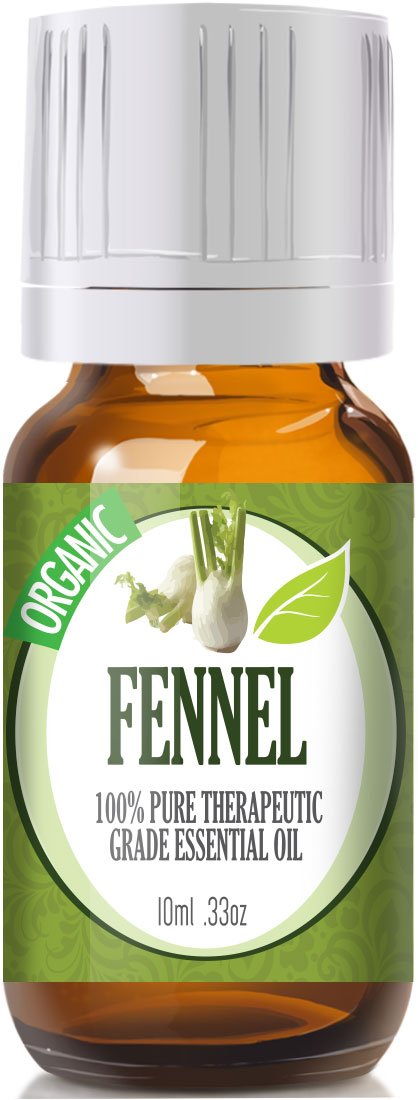
Fennel Essential Oil #Review


Fennel essential oil is a galactogogue. This oil can play an important role for lactating mothers. It can increase the amount of milk in them by boosting production of a hormone called estrogen. This benefits the baby as well as the mother. This milk also inherits some of the carminative and digestive properties of fennel oil and protects the baby from flatulence, indigestion and gas, which are very common in infants.


Information from the company


  • 100% Pure, Organic Therapeutic Grade Fennel 10ml Essential Oil 
  • Botanical Name: Foeniculum vulgare var. dulce 
  • Comes in 10ml amber glass essential oil bottle. European Dropper Cap included 
  • Fennel Essential Oil has a sweet earthy aroma similar to aniseed with hints of pepper. 
More information can be found here.

For these reasons, I created a boobie butter. I combined the fennel oil with a combination of coconut oil and shea butter. I mixed 2 TBSP Shea butter and 2 TBSP coconut oil with 10 drops of Fennel Essential Oil. I started by whipping the shea butter and coconut oil together with my hand mixer. Then I gradually added the fennel oil to the base while continuing to whip it.

It has increased her milk supply as well as aided in preventing sore nipples.

It can be purchased here

Z's Mommy

Basil Essential Oil #Review


Basil essential oil is a great oil to have around the house. It has health benefits that include its ability to treat nausea, motion sickness, indigestion, constipation, respiratory problems, and diabetes. Basil oil is also a good source of Vitamin A, magnesium, potassium, iron, and calcium. It is also said to enhance the luster of dull-looking skin and hair. As a result, it is extensively used in many skin care supplements that claim to improve the tone of your skin. It is also commonly used to treat the symptoms of acne and other skin infections. 


Information from the seller  

100% Pure, Organic Therapeutic Grade Basil 10ml Essential Oil 

Botanical Name: Ocimum basilicum 

Comes in 10ml amber glass essential oil bottle. European Dropper Cap included 

Basil Essential Oil has a sweet floral and herbal scent. 

What sets Healing Solutions Essential Oils apart is superior cultivation of ingredients that are the best in the world. Combined with superior distillation and bottling care process.

My Usage

So after researching and finding all this information, I decided to make a tomato basil soap. Basil essential oil has a slight herbal licorice smell. Even after making soap, the smell still came through. I was pleasantly surprised by the scent.


It can be purchased here

Tomato Basil Soap Recipe
Always run recipes through a lye calculator. You can also experiment with different oils if you want.

Coconut Oil

4.0oz
113.40g
Crisco

5.6oz
158.76g
Olive Oil

4.8oz
136.08g
Shea Butter

1.6oz
  45.36g


Liquid
    Water
      Frozen Tomato Juice


2.0oz
4.0oz

  57.36g
115.00g
Sodium Hydroxide (Lye)


2.17oz
  61.50g
Total Soap Weight

24.25oz
687.46g

Mix the water and lye in a well ventilated area. Remember when mixing snow (lye) falls on the lake (water). Mix it slowly together with the frozen tomato juice in an ice water bath. Pour lye mixture into melted oils. Mix with stick blender until you reach a thin pudding like consistency (also called trace). Add 15-30 drops of Basil essential oil.  Mix a little longer if you want to make designs. If not, pour batter into your soap mold. I like a sturdy loaf mold but the options are almost endless. Never use an aluminum or metal pan though. Let sit for 24-48 hours. Cut into the slices you desire. Let cure 4-6 weeks

Z's Mommy